

If you're managing social media for a business, brand, or a handful of clients and you're tired of juggling separate apps for scheduling, replying to comments, and pulling reports, Vista Social is worth a look. It's an all-in-one social media management platform that combines publishing, engagement, analytics, listening, and review management into a single dashboard. Here's a step-by-step guide to getting up and running, even if you've never used a tool like this before.
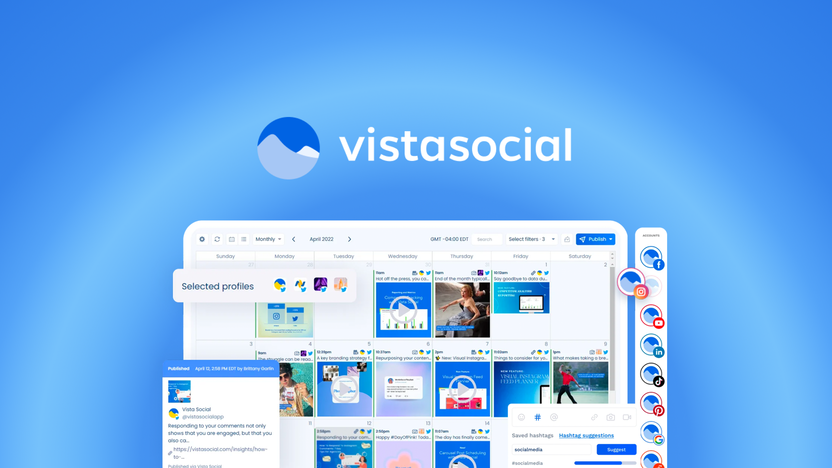
The first thing you'll do after signing up is connect the accounts you want to manage. Vista Social supports Facebook, Instagram, LinkedIn, TikTok, X (Twitter), YouTube, Threads, Reddit, Snapchat, and Bluesky, so most brands can bring every platform they use into one place rather than logging into each network separately. This step usually takes just a few minutes per account and is the foundation everything else builds on.
Once your accounts are connected, the next step is planning what you're actually going to post. Vista Social's visual content calendar lets you see everything scheduled across every platform at a glance, and supports bulk uploads if you already have a batch of content ready to go — whether that's pulling from a blog, uploading a CSV, or searching for trending content to repurpose.
Beginner tip: Start by mapping out just one week of content first. It's easier to learn how the calendar and drag-and-drop rearranging work with a small batch before committing to a month of scheduled posts.
With content mapped out, you can schedule posts for a specific date and time, or use Smart Scheduling to let the platform suggest times when your audience is historically most active. This is where the platform saves the most obvious chunk of manual work — instead of logging into five apps at five different times, you set everything up once from the calendar.
This is the step new users often skip at first, but it's one of the most valuable parts of the platform. Vista Social's engagement tools bring comments, DMs, and mentions from every connected platform into a single inbox, so you're not switching between apps just to reply to a customer. Turning on notifications here means you won't miss a message buried in a platform you don't check as often.
Beginner tip: If you're managing multiple brands or client accounts, set up separate views or filters early so your inbox doesn't feel overwhelming once messages start coming in from every channel at once.
Vista Social's DM Automations can handle repetitive tasks like answering common questions, sending links, or collecting leads automatically. As a beginner, it's worth starting with one simple automation — like an auto-reply for a frequently asked question — before building anything more complex. This gets you comfortable with how automation rules work without risking a confusing experience for your followers.
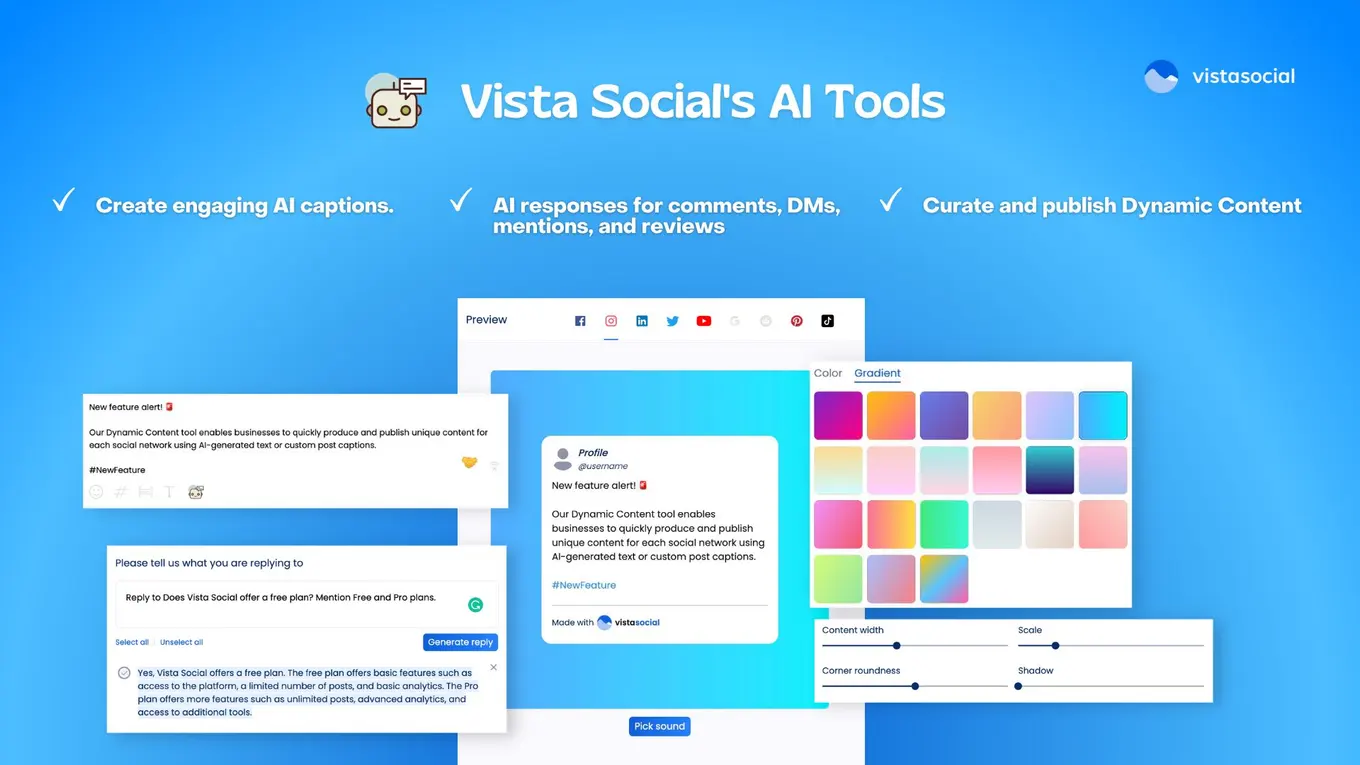
If your business has a physical location or relies on customer reviews, Vista Social also monitors and lets you respond to reviews across Facebook, Google Business, Yelp, TripAdvisor, OpenTable, and Trustpilot from the same dashboard. This is especially useful for local businesses that need to stay on top of their reputation without checking six separate review sites by hand.
Once you've been posting and engaging for a week or two, it's time to look at what's actually working. Vista Social provides several report categories — social media performance, individual post performance, review performance, and competitor comparisons — and lets you build a custom report from these metrics. You can schedule reports to be automatically delivered to your own inbox or a client's, which is especially handy if you're managing accounts for other people and need to show results regularly.
Beginner tip: Don't try to track every metric available right away. Pick two or three that actually matter for your goals — like engagement rate and follower growth — and build your first report around those before adding more complexity.
Once you're comfortable with the seven steps above, you'll have a functioning social media management workflow: connected accounts, a working content calendar, a unified inbox, and at least one report showing what's working.
You can start your free trial of Vista Social here to work through these steps yourself.